Track Camera Details window
The track camera command details window allows you to manipulate a command.
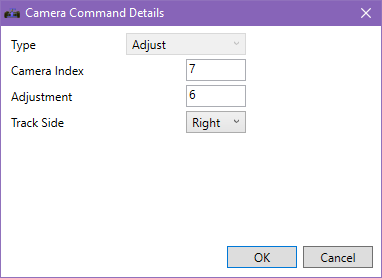
There are three types of track camera commands:
- Adjustment
- Move Range Right
- Delete
Type: Adjustment
Adjusts a single camera.
| Item | |
|---|---|
| Camera Index | Index of camera to adjust |
| Adjustment | Number of track length units to move the camera(?) |
| Track Side | Which side of the track the camera should be |
Type: Move Range Right
Moves a range of cameras from the default left-hand side to the right-hand side of the track.
| Item | |
|---|---|
| Camera Index From | Index of first camera to move to the right side |
| Camera Index To | Index of last camera to move to the right side |
Type: Delete
This deletes a specific camera.
| Item | |
|---|---|
| Camera Index | Index of camera to remove |